Changelog

Follow new updates and improvements to PolyPlan.

New Powerful Shortcuts and Filter View for PolyPlan Tasks
Hello everyone!

We have two major updates to share today that are all about making you faster, more focused, and more in control of your schedule. We're thrilled to introduce a game-changing integration with Apple Shortcuts and a much-requested improvement to our Filter tool!

πŸš€ Automate Your Workflow with PolyPlan Shortcuts

  • βœ… Create Tasks in an Instant: Capture ideas on the fly without ever opening the app.

  • πŸ“… Apply Day Templates: Set up your entire day's routine (like your "Monday Morning Focus" or "Weekend Reset") in seconds.

  • πŸš€ Move Tasks in Bulk: Clean up your schedule, move overdue items, or archive tasks with a powerful, one-tap automation.

  • πŸ‘€ View Your Agenda: Get a quick glance at what's on your plate for any day, perfect for widgets and quick checks.

This is more than just a new feature; it's a new way to build a faster, smarter, and more personalized planning system that works for you.

Ready to build your first automation? Update PolyPlan on the App Store today and check out our full guide to get started.

Read the Full Guide to PolyPlan Shortcuts Here

πŸ”Ž A New Filter for PolyPlan Tasks Only

Sometimes, you need to cut through the noise. Based on your feedback, we've added a powerful new option to our Filter tool.

You can now filter your schedule to see only the tasks you have created natively in PolyPlan.

This is perfect for moments when you want to declutter your view from synced calendar events and tasks from other apps. It provides a clean, focused list of your original to-dos, making it easier than ever to see what you need to accomplish.


Both of these new features are available now. Update your PolyPlan app from the App Store to get started. We can't wait to see how these updates improve your workflow!

β†’ Get PolyPlan on iOS

Happy planning,

The PolyPlan Team
New

ClickUp integration, Keyboard Shortcuts Enhanced, Habitify integration on iOS

We're thrilled to announce several major updates to PolyPlan that significantly enhance your productivity experience across all platforms. These new features reflect our ongoing commitment to creating a seamless, integrated productivity ecosystem that adapts to your workflow.

ClickUp Integration

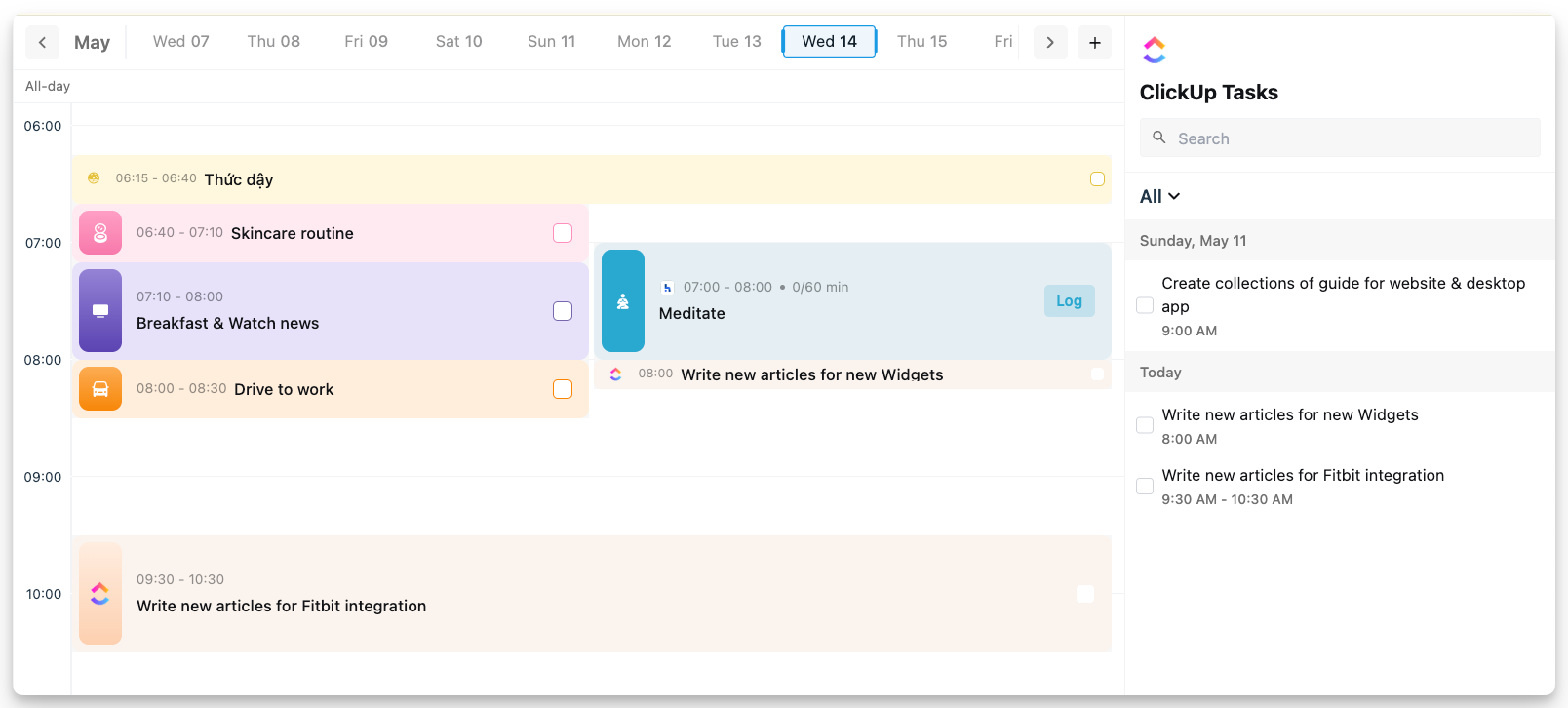
We're excited to unveil our new ClickUp integration, now available on both our desktop & iOS app. This powerful addition allows you to:

  • Seamlessly sync tasks from ClickUp directly to PolyPlan

  • Maintain a single source of truth for all your project management needs

  • Automatically update task status across both platforms

  • Organize ClickUp tasks within PolyPlan's intuitive interface

This integration represents a significant step forward in our mission to create a unified productivity environment.

Enhanced Keyboard Shortcuts

We've completely revamped our keyboard shortcut system on the website and desktop app, putting more productivity power at your fingertips.

The enhanced keyboard shortcuts allow you to:

  • Navigate through the application with unprecedented speed

  • Create, edit, and organize tasks without touching your mouse

  • Access advanced features through intuitive key combinations

See our keyboard shortcuts documentation in the Help Center.

Habitify Integration on iOS

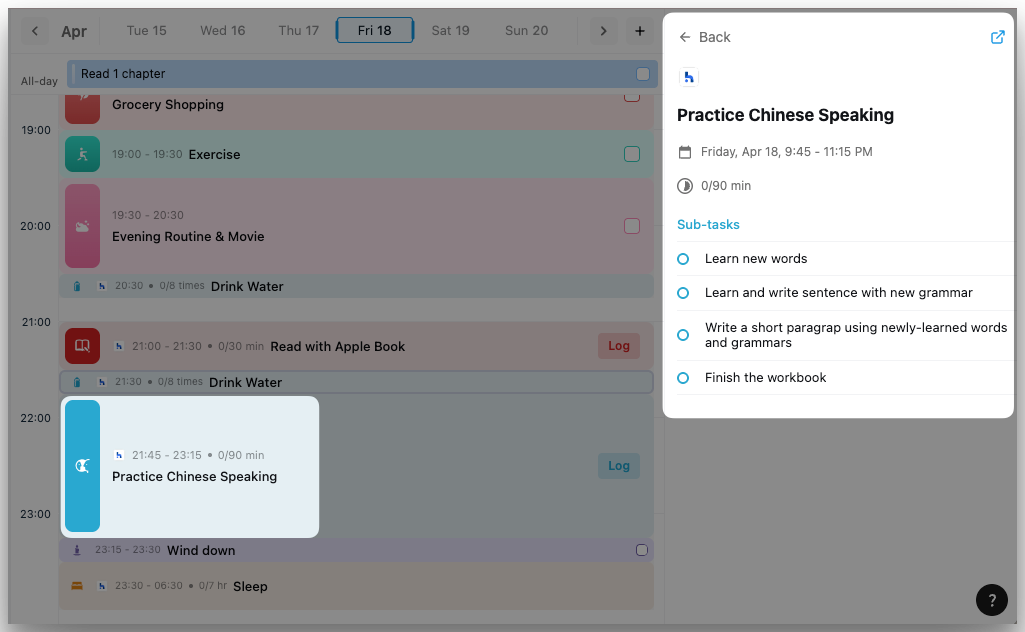
Following the successful launch of our Habitify integration on the website and desktop app, we're delighted to announce that this feature is now available on the iOS app as well.

The iOS integration provides the same comprehensive habit tracking capabilities as our desktop version, ensuring consistency across all your devices.

Whether you're at your desk or on the go, your habits remain an integral part of your productivity system.


Update now and experience a more connected, efficient task management workflow!

Access website app: https://use.polyplan.app

Access phone app:

Access desktop app

For any questions, please feel free to share with us at contact@polyplan.app

NewImproved

Habitify Integration & Focus Sessions

PolyPlan has just launched two game-changing features alongside several interface improvements that take your productivity management to the next level. Let's dive into what's new.

πŸ”„ Habitify Integration

The long-awaited Habitify integration has finally arrived on website & desktop apps! As the #1 most requested feature from our community, this powerful connection bridges the gap between your daily habits and task management.

What You Can Do Now

  • Seamless Habit Syncing: Your Habitify habits automatically appear in your timeline on PolyPlan.

  • Direct Check-ins: Complete check-ins on your habits without leaving PolyPlan.

  • Holistic Productivity System: See habits alongside tasks, meetings, and events in one place; manage both your routine habits and one-off tasks in a single workflow

Read the guide πŸ‘‰ PolyPlan - Habitify Integration

Note: currently this integration is available on website & desktop apps.

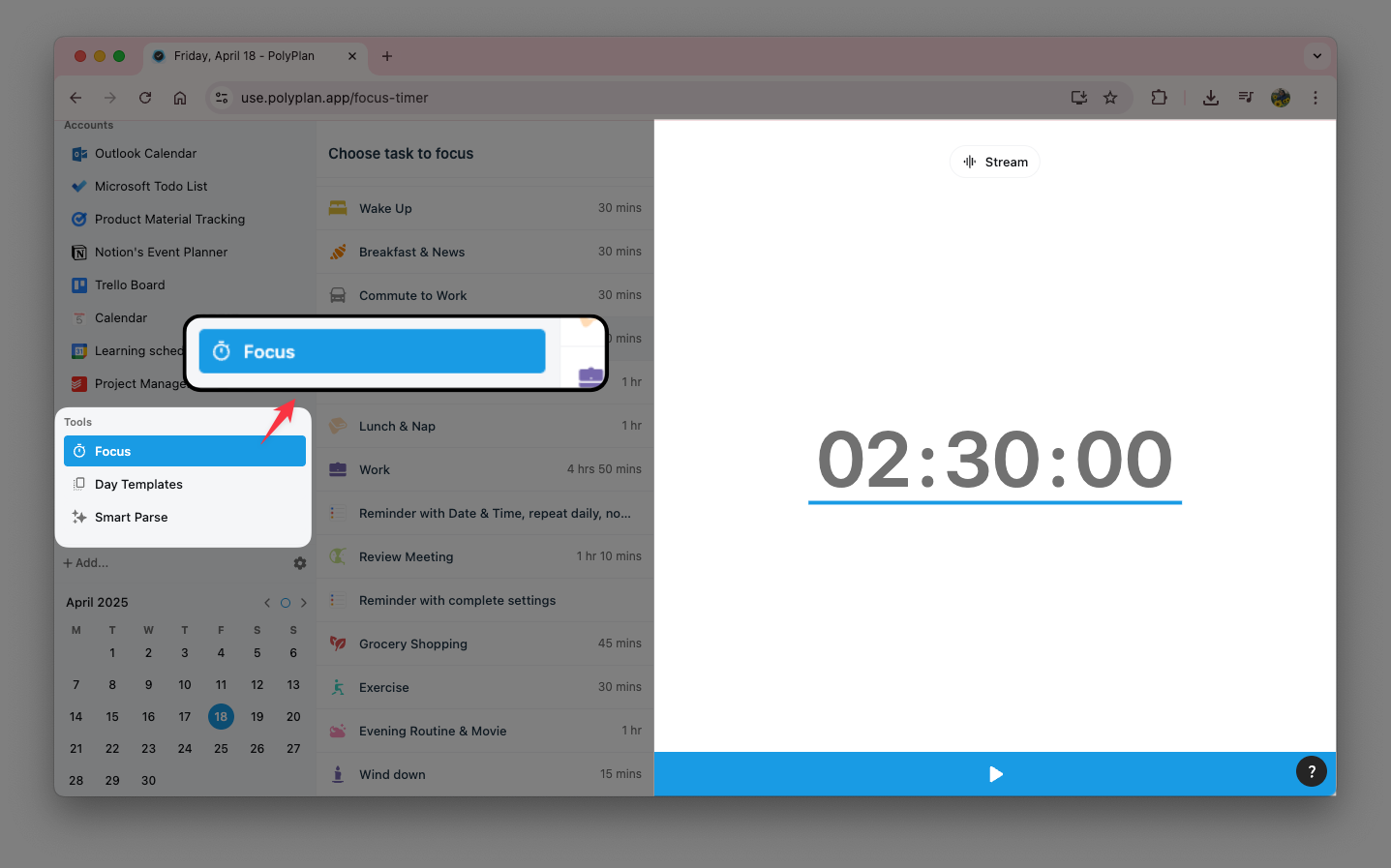
⏱️ Focus

Maintaining concentration in a distracted world is challenging. Our new Focus Sessions feature helps you dedicate time to your most important tasks with built-in time tracking.

How Focus Sessions Work

  • Countdown Timer: Start a focused work session on any task

  • Flexible Control: Pause or stop your session if interruptions occur

  • Duration Tracking: Automatically update task durations based on actual time spent

  • Productivity Insights: Build awareness of how you're allocating your time

Whether you practice Pomodoro, time-blocking, or simply need to track time spent on tasks, Focus Sessions seamlessly integrate deep work principles into your PolyPlan workflow.

Learn more about using Focus on website & desktop apps πŸ‘‰ Focus Session: Live Timer

Note: currently this integration is available on website & desktop apps.

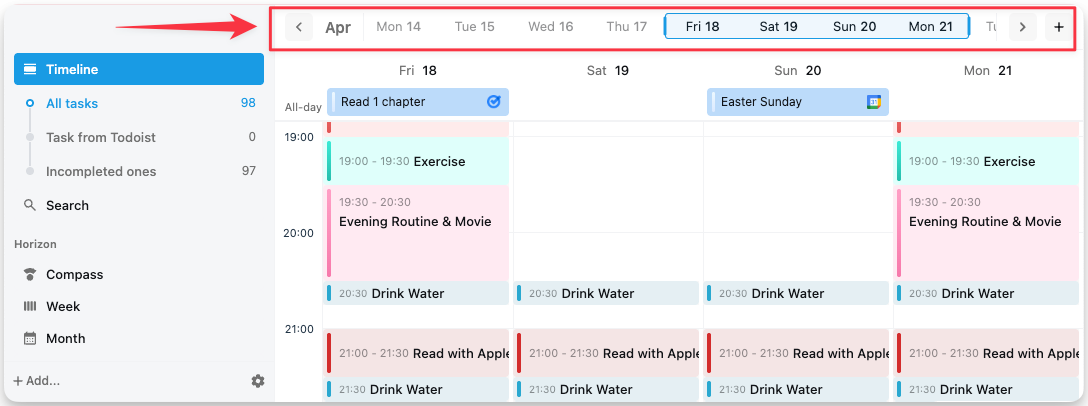
πŸ“† Improved Schedule Navigation

The week view has been redesigned into a new date bar for easier navigation on website & desktop apps:

  • Quickly scroll through dates to view specific days

  • Drag to select multiple days for a broader schedule overview

  • Get clearer visibility into your upcoming commitments

πŸ“±iOS App Enhancements

The mobile experience for iOS users continues to improve with two significant updates:

  • Create and save personalized task views based on status, color, and integration

  • Add new tasks to existing day templates without starting from scratch


Update now and experience a more connected, efficient task management workflow!

Access website app: https://use.polyplan.app

Access phone app:

Access desktop app

For any questions, please feel free to share with us at contact@polyplan.app

New

Earlier updates