ClickUp integration, Keyboard Shortcuts Enhanced, Habitify integration on iOS
We're thrilled to announce several major updates to PolyPlan that significantly enhance your productivity experience across all platforms. These new features reflect our ongoing commitment to creating a seamless, integrated productivity ecosystem that adapts to your workflow.
ClickUp Integration
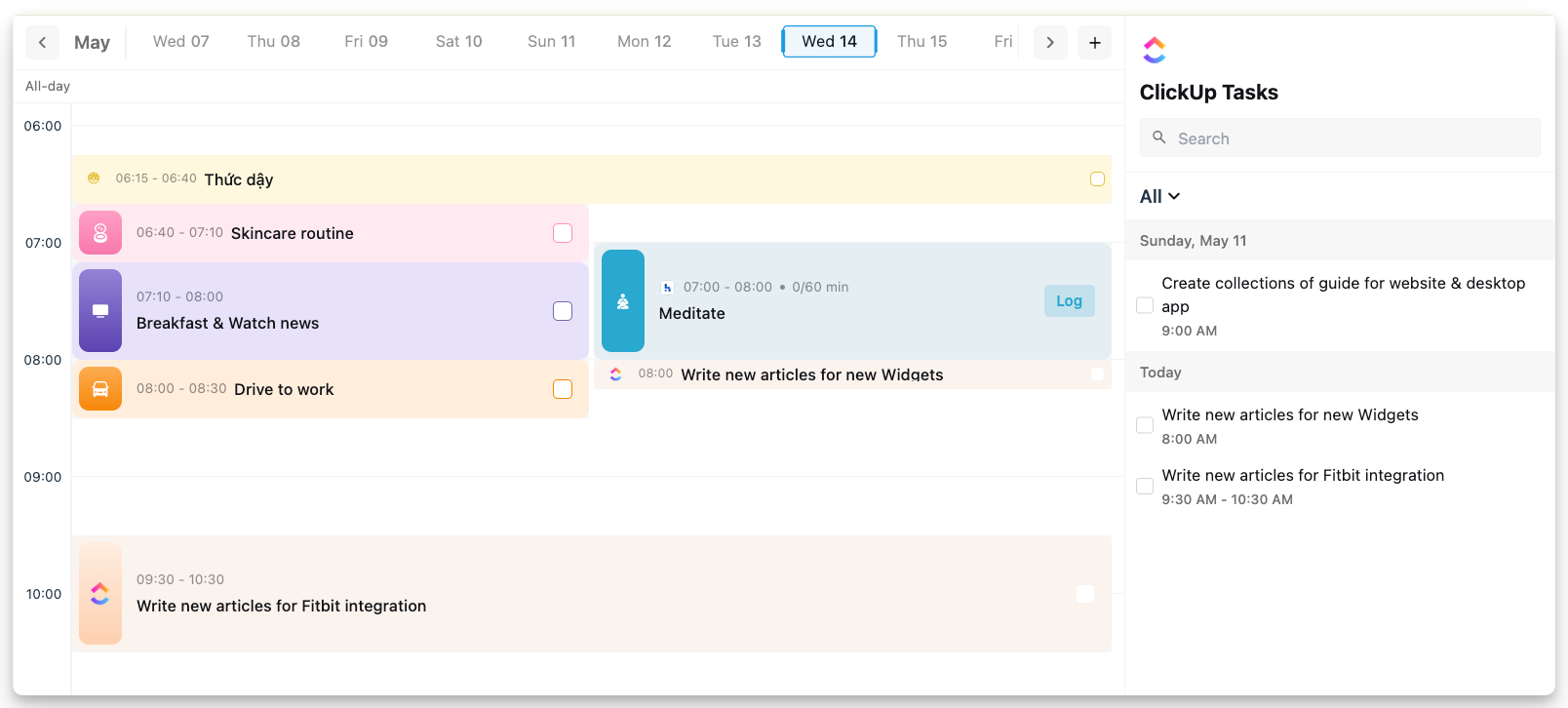
We're excited to unveil our new ClickUp integration, now available on both our desktop & iOS app. This powerful addition allows you to:
Seamlessly sync tasks from ClickUp directly to PolyPlan
Maintain a single source of truth for all your project management needs
Automatically update task status across both platforms
Organize ClickUp tasks within PolyPlan's intuitive interface
This integration represents a significant step forward in our mission to create a unified productivity environment.
Enhanced Keyboard Shortcuts
We've completely revamped our keyboard shortcut system on the website and desktop app, putting more productivity power at your fingertips.
The enhanced keyboard shortcuts allow you to:
Navigate through the application with unprecedented speed
Create, edit, and organize tasks without touching your mouse
Access advanced features through intuitive key combinations
See our keyboard shortcuts documentation in the Help Center.
Habitify Integration on iOS
Following the successful launch of our Habitify integration on the website and desktop app, we're delighted to announce that this feature is now available on the iOS app as well.
The iOS integration provides the same comprehensive habit tracking capabilities as our desktop version, ensuring consistency across all your devices.
Whether you're at your desk or on the go, your habits remain an integral part of your productivity system.
Update now and experience a more connected, efficient task management workflow!
Access website app: https://use.polyplan.app
Access phone app:
Access desktop app
For any questions, please feel free to share with us at contact@polyplan.app