Notion integration & a bunch of updates for you
We're excited to bring you the brand-new Notion integration, and share some fantastic new features and improvements that will make your planning experience even more powerful and intuitive!
🔗 Notion Integration
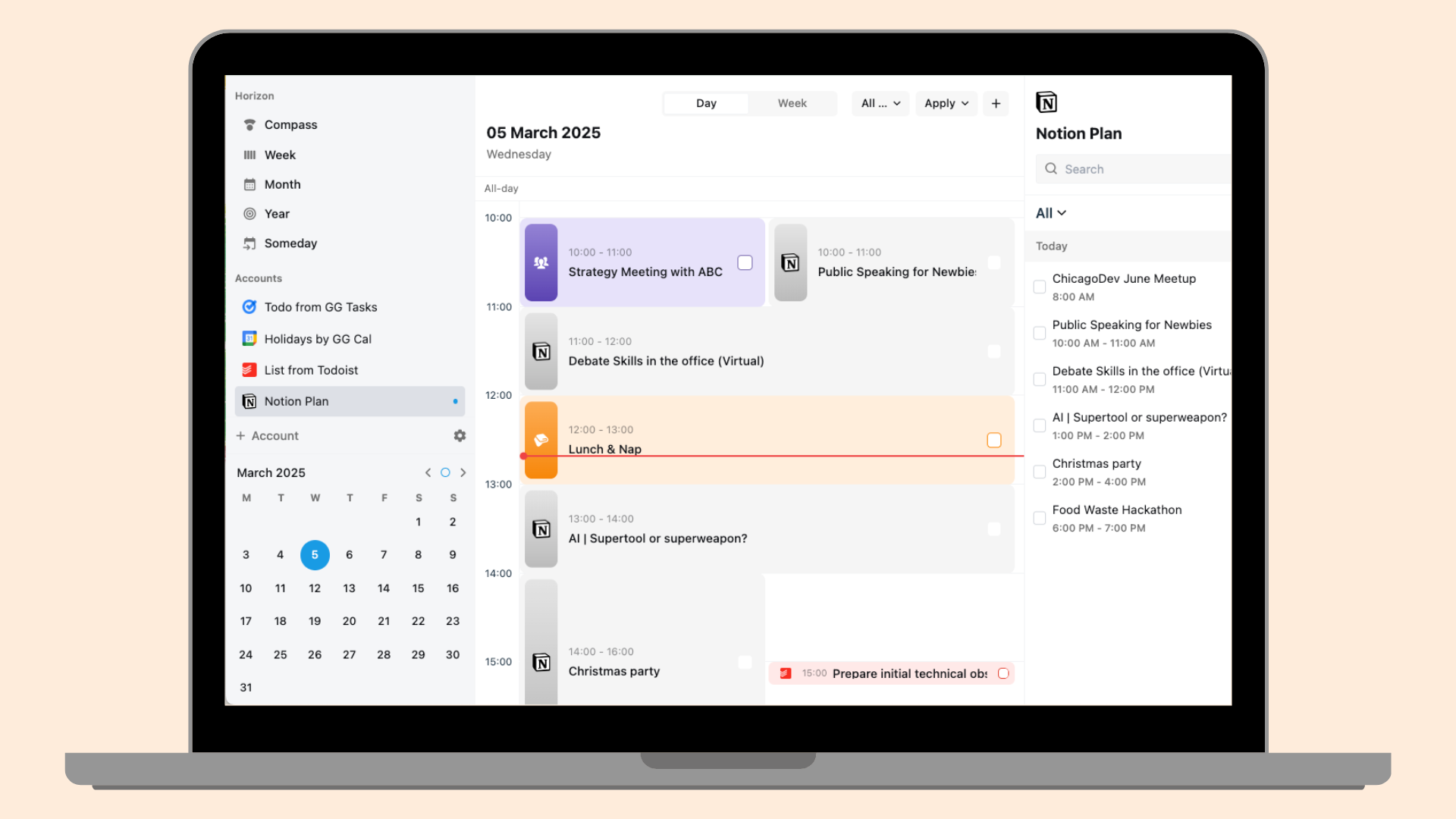
PolyPlan now seamlessly integrates with Notion, allowing you to synchronize items from your Notion databases directly into PolyPlan.
Read our comprehensive how-to guide here: Notion integration.
🌟 Website App Enhancements
Editor for text in notes
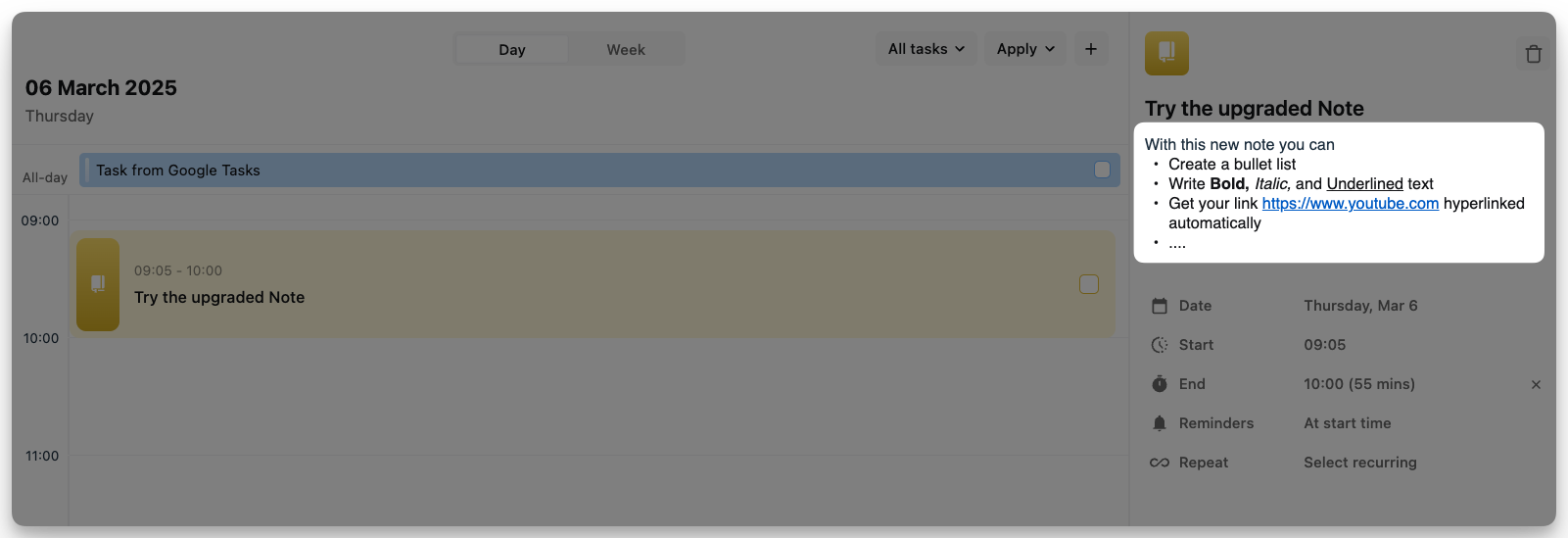
We've enhanced the note-taking experience with rich text capabilities. You can now:
emphasize important information with bold, italic, and underlined text formatting
create organized bullet lists for clearer structure,
watch as URLs automatically transform into clickable hyperlinks.
This is expected to make your notes more readable, navigable, and professional.
More flexibility in the usage of day template
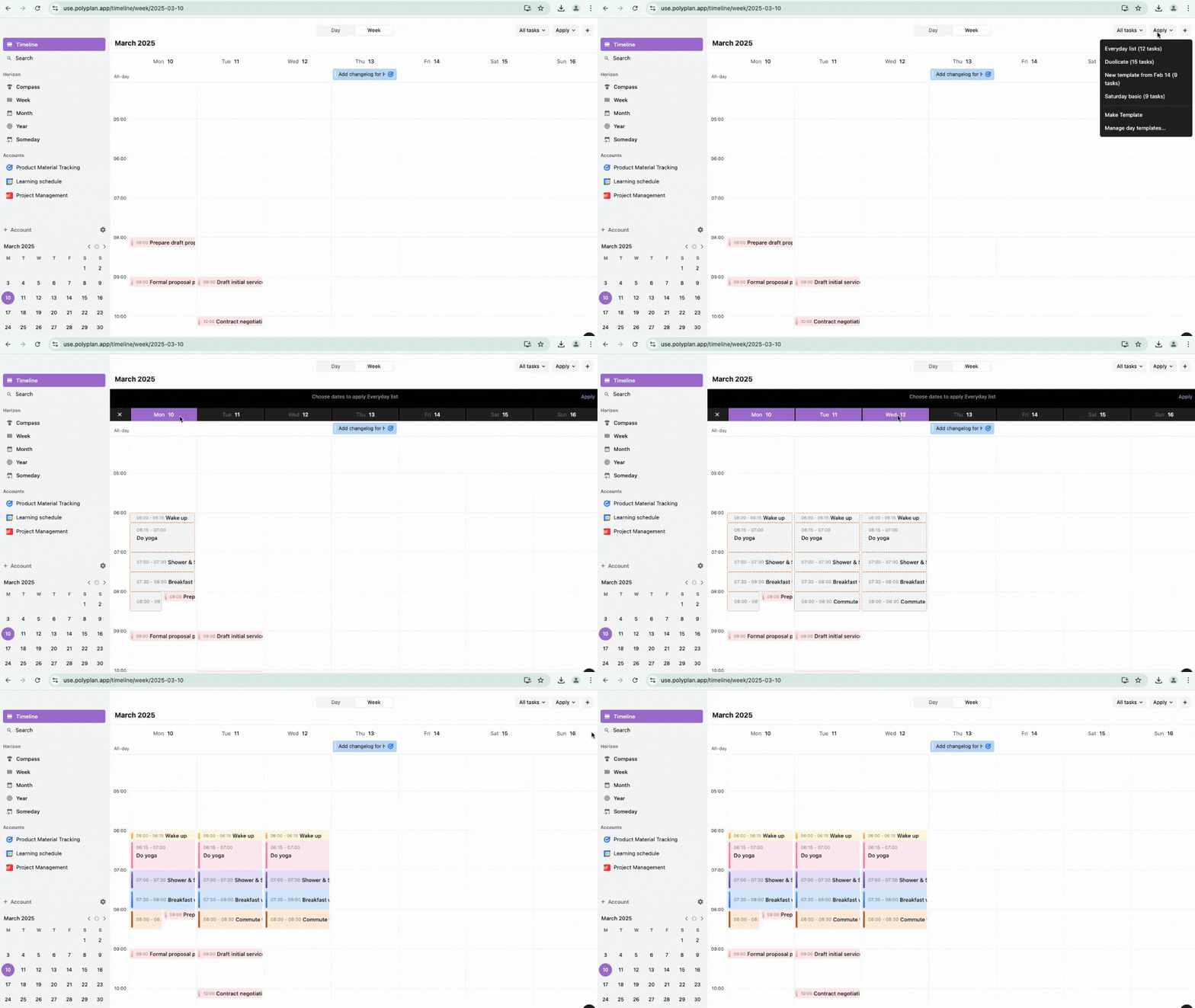
We've made recurring schedules easier to manage. Now you can take your perfectly planned day and save it as a day template with just a few clicks.
Also, you now can manually apply a day template to several days of the week at once!
Update how to do those in this: Day Template on Website app
🤖 Android App Updates
In this new Android app version, we made a major upgrade with new customization options and productivity-enhancing features, including:
Ability to set accent color: Personalize your PolyPlan experience by choosing your preferred accent color throughout the app.
Create custom filter view to filter tasks & events: Filter by status to focus on what needs attention, by integration source to see only items from certain connected apps, or by the colors you've assigned to tasks created directly in PolyPlan.
Addition of the compass view: See your week, month, and year all together in a cohesive overview that helps you balance short-term tasks with long-term goals and commitments.
"Shake to undo": Made a mistake? Simply shake your device to instantly undo your last action.
📱 iOS App Improvements
iOS users, we've also got some treats for you:
Any days as your first day of the week: We understand that different people plan their weeks differently. Now iOS users can customize which day appears first in their weekly views, making planning more intuitive to your personal preferences.
Improved live activities: We've resolved previous problems with the live activities feature, ensuring that your current activities display correctly and update in real-time.
Update now and experience the new PolyPlan – where productivity meets simplicity! ✨
Access website app: https://use.polyplan.app
Access phone app:
For any questions, please feel free to share with us at contact@polyplan.app